# Can't change Swift version for targets (from 5 to 6)
**URL:** https://community.tuist.dev/t/cant-change-swift-version-for-targets-from-5-to-6/41
**Category:** Troubleshooting & how to
**Created:** [September 18, 2024, 4:37pm UTC](https://community.tuist.dev/t/cant-change-swift-version-for-targets-from-5-to-6/41 "2024-09-18T16:37:50Z")
**Posts on this page:** 6
**Page:** 1
### Author:  [@buresdv](https://community.tuist.dev/u/buresdv)
#### Post date: [September 18, 2024, 4:37pm UTC](https://community.tuist.dev/t/cant-change-swift-version-for-targets-from-5-to-6/41/1 "2024-09-18T16:37:50Z")
Hey everyone, I hope this forum will take off 😃
I’d like to post my first question here. As usual with me, the answer might be something deceiptively simple.
I’m migrating Cork to Swift 6. However, I can’t get Tuist to generate the project with the right Swift version for my targets.
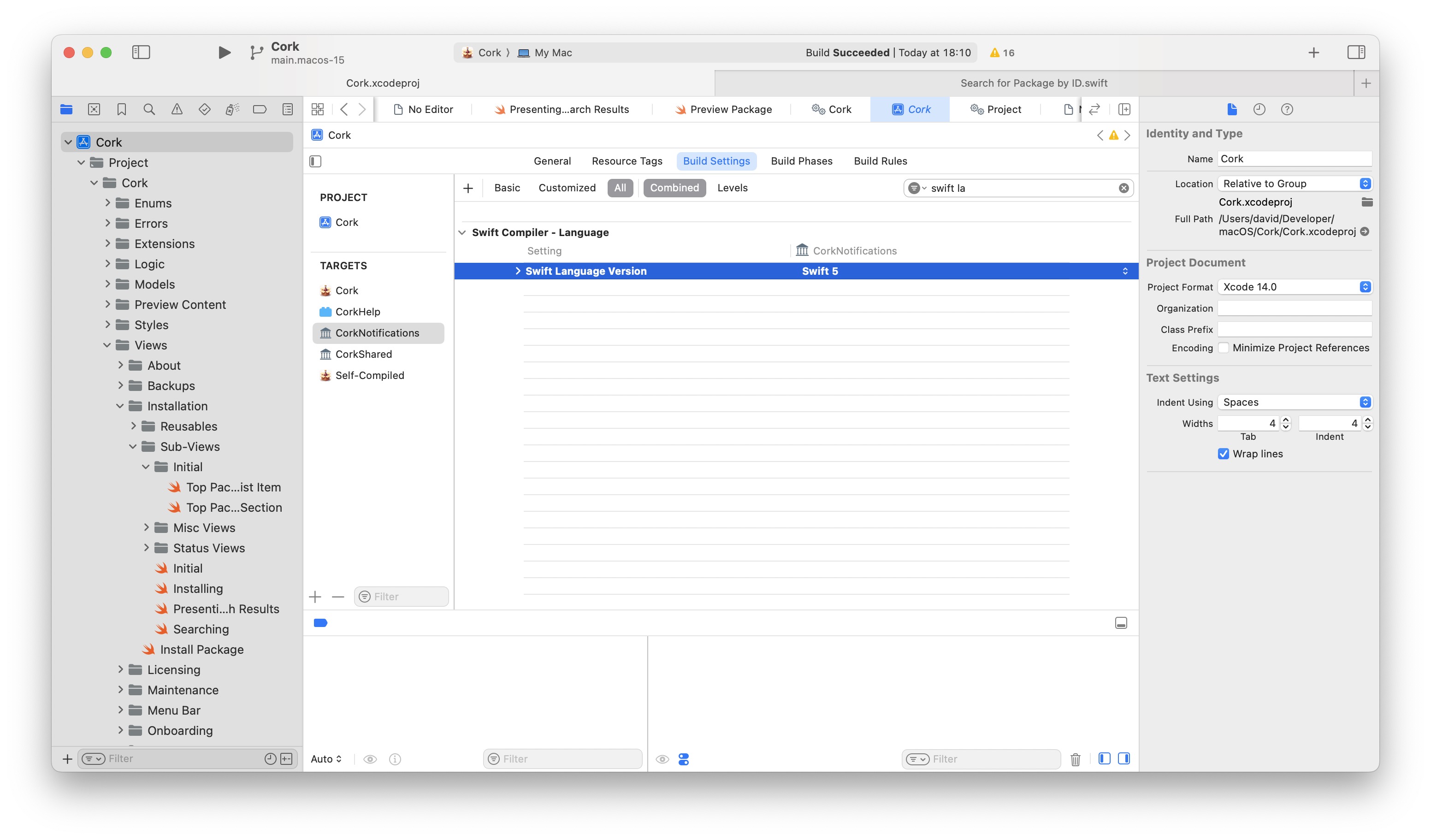
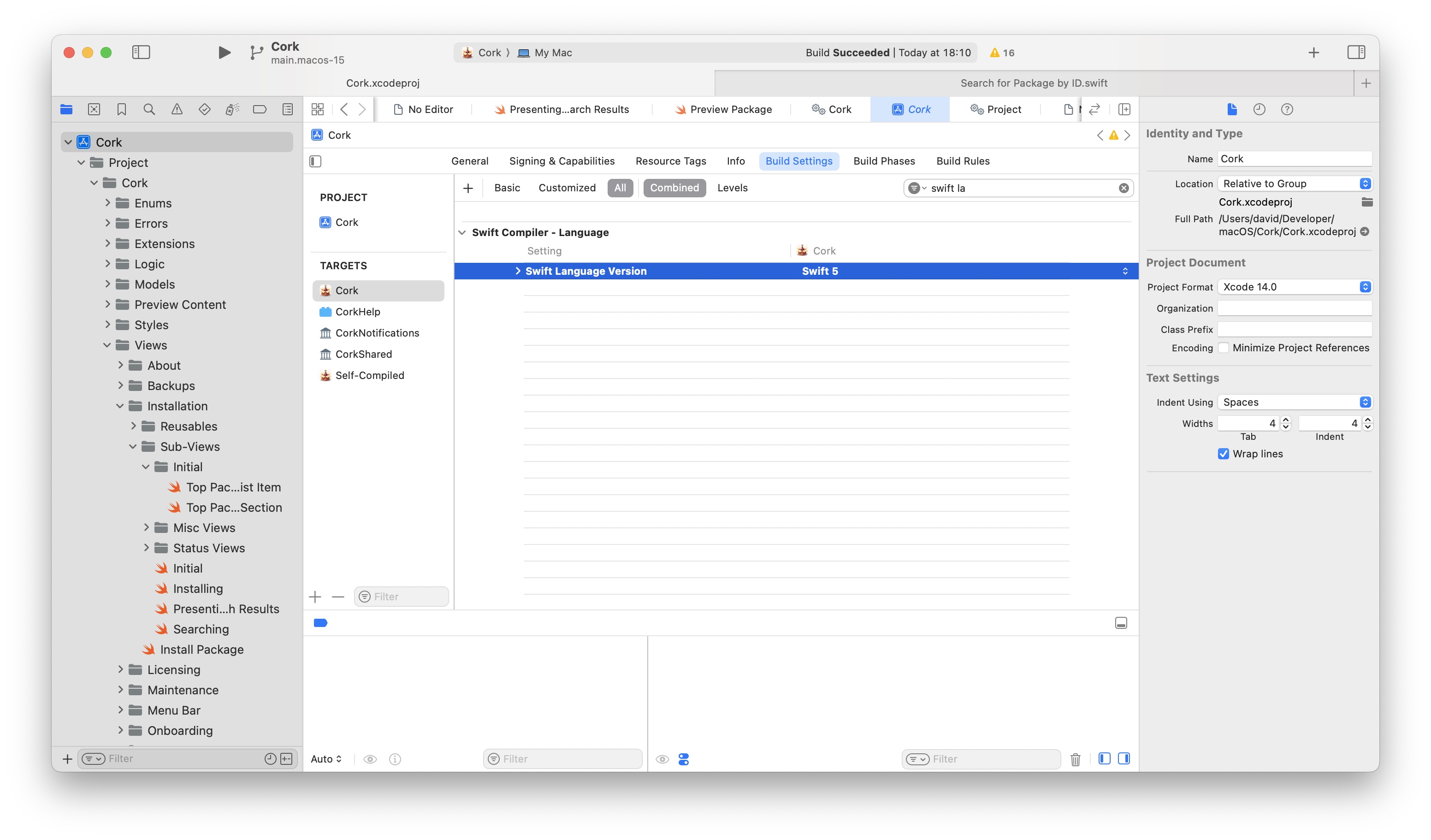
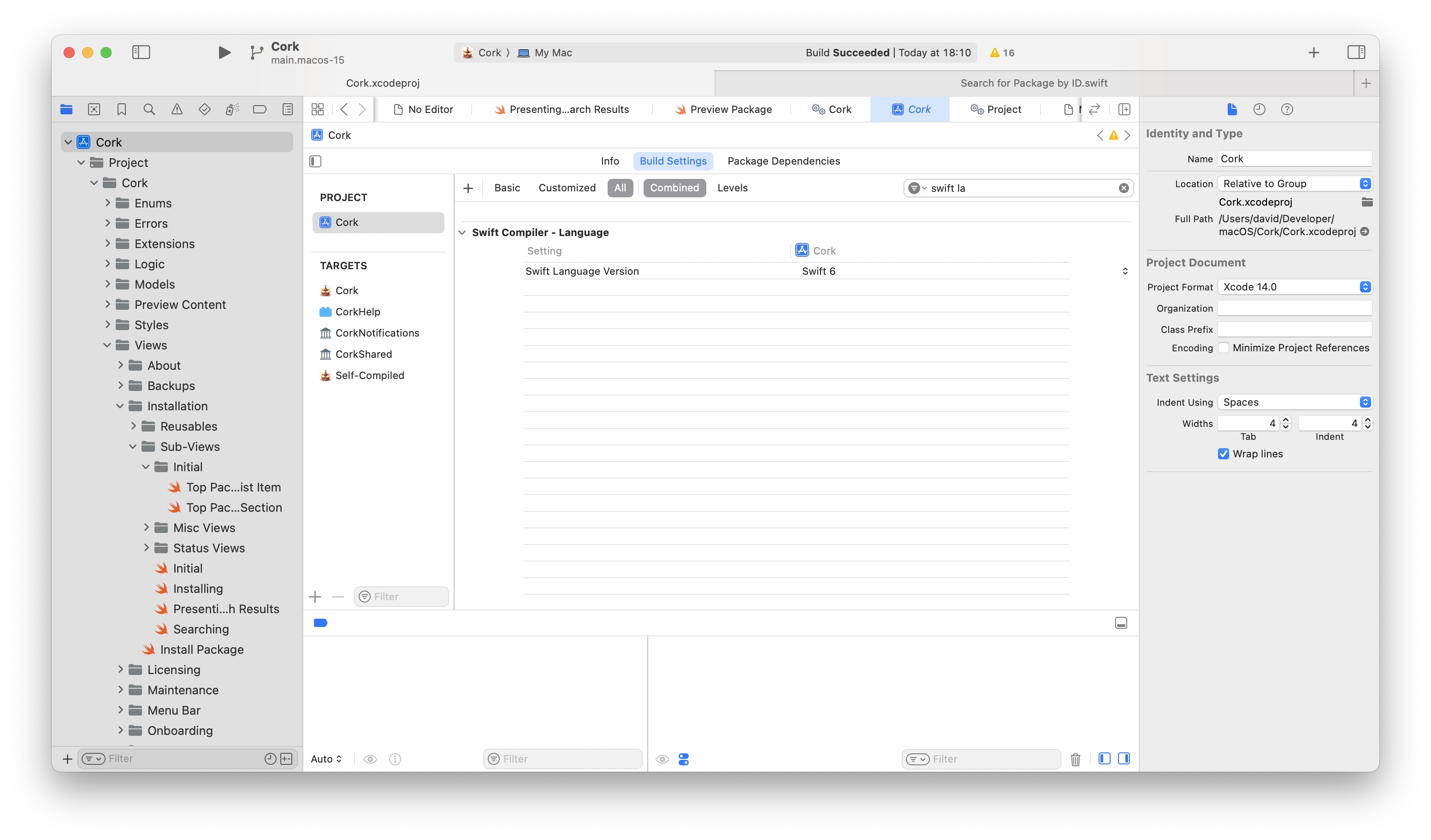
The Swift version for the project itself is 6, but all my targets still have Swift 5.
I have tried setting `SWIFT_VERSION=6.0` in my `Project.xcconfig`, as well and the xcconfig for my target. Moreover, I have set the Swift version in my `Config` like so:
```swift
let config = Config(
compatibleXcodeVersions: .upToNextMajor("16"),
swiftVersion: .init(16, 0, 0),
generationOptions: .options()
)
```
Here are screenshots of the problem:
Here’s my code:
[https://github.com/buresdv/Cork/tree/main.macos-15](https://github.com/buresdv/Cork/tree/main.macos-15)
I’m using Tuist version `4.25.0`.
Thanks!
---
### Author:  [@pepicrft](https://community.tuist.dev/u/pepicrft)
#### Post date: [September 19, 2024, 1:44pm UTC](https://community.tuist.dev/t/cant-change-swift-version-for-targets-from-5-to-6/41/2 "2024-09-19T13:44:03Z")
@buresdv that property is not used (we need to remove it). The version of Swift is a build setting in your project, so you can edit it with `tuist edit` and set it there:
```swift
settings: .settings(configurations: [
.debug(
name: "Debug",
settings: ["SWIFT_VERSION": "6.0"].swiftActiveCompilationConditions(["DEBUG"] + additionalCompilationConditions),
xcconfig: .relativeToRoot("xcconfigs/Cork.xcconfig")
),
.release(
name: "Release",
settings: ["SWIFT_VERSION": "6.0"].swiftActiveCompilationConditions(additionalCompilationConditions),
xcconfig: .relativeToRoot("xcconfigs/Cork.xcconfig")
),
]
```
After that, if you generate the project, you’ll notice that the right version of Swift shows up.
---
### Author:  [@tejassharma](https://community.tuist.dev/u/tejassharma)
#### Post date: [September 19, 2024, 4:31pm UTC](https://community.tuist.dev/t/cant-change-swift-version-for-targets-from-5-to-6/41/3 "2024-09-19T16:31:30Z")
If it works by setting it in the configuration’s `settings`, shouldn’t it also work when it is set by `Project.xcconfig`? or was the issue that it was only set in one of the `Project.xcconfig` files when it was necessary to also set it in the other files in [this folder](https://github.com/buresdv/Cork/tree/main.macos-15/xcconfigs)?
---
### Author:  [@buresdv](https://community.tuist.dev/u/buresdv)
#### Post date: [September 19, 2024, 5:00pm UTC](https://community.tuist.dev/t/cant-change-swift-version-for-targets-from-5-to-6/41/4 "2024-09-19T17:00:18Z")
I think I resolved this by doing the following:
```auto
let project = Project(
name: "Cork",
options: .options(
automaticSchemesOptions: .enabled(runLanguage: "en"),
developmentRegion: "en"
),
packages: [
.remote(url: "https://github.com/SimplyDanny/SwiftLintPlugins", requirement: .upToNextMajor(from: "0.56.2")),
],
settings: .settings(
base: ["SWIFT_VERSION": "6.0"], <-- Here
configurations: [
.debug(
name: "Debug",
// settings: [:].swiftActiveCompilationConditions(["DEBUG"]),
xcconfig: .relativeToRoot("xcconfigs/Project.xcconfig")
),
.release(
name: "Release",
xcconfig: .relativeToRoot("xcconfigs/Project.xcconfig")
),
]),
```
A big problem I had was that I have a lot of schemes, and I wanted Swift 6 to be the default for all of them. Do you think it’s a nice solution?
---
### Author:  [@buresdv](https://community.tuist.dev/u/buresdv)
#### Post date: [September 19, 2024, 5:01pm UTC](https://community.tuist.dev/t/cant-change-swift-version-for-targets-from-5-to-6/41/5 "2024-09-19T17:01:07Z")
It was my intuition that setting it in the project’s `xcconfig` would apply it to the entire poject, including the targets.
---
### Author:  [@pepicrft](https://community.tuist.dev/u/pepicrft)
#### Post date: [September 22, 2024, 1:52pm UTC](https://community.tuist.dev/t/cant-change-swift-version-for-targets-from-5-to-6/41/6 "2024-09-22T13:52:00Z")
I thought this is what you wanted. Here are the various places where you can set it and when you might want to set it in those places:
- **Target settings:** When you want it to be applied only to a particular target.
- **Project settings:** When you want it to be applied to all the targets of a project. Note that this can be overriden by the target.
- **Scheme variable:** You can also pass an environment variable from a scheme, which is then read from a project or target setting. This is in case you want the value to be dynamic and change based on the selected scheme. For example, you might want to have a scheme “App Swift 6” that you can use while migrating your app.