# Support for foreign builds, such as Kotlin Multiplatform
**URL:** https://community.tuist.dev/t/support-for-foreign-builds-such-as-kotlin-multiplatform/898
**Category:** Announcements
**Created:** [February 13, 2026, 10:34pm UTC](https://community.tuist.dev/t/support-for-foreign-builds-such-as-kotlin-multiplatform/898 "2026-02-13T22:34:53Z")
**Posts on this page:** 2
**Page:** 1
### Author:  [@marekfort](https://community.tuist.dev/u/marekfort)
#### Post date: [February 13, 2026, 10:34pm UTC](https://community.tuist.dev/t/support-for-foreign-builds-such-as-kotlin-multiplatform/898/1 "2026-02-13T22:34:53Z")
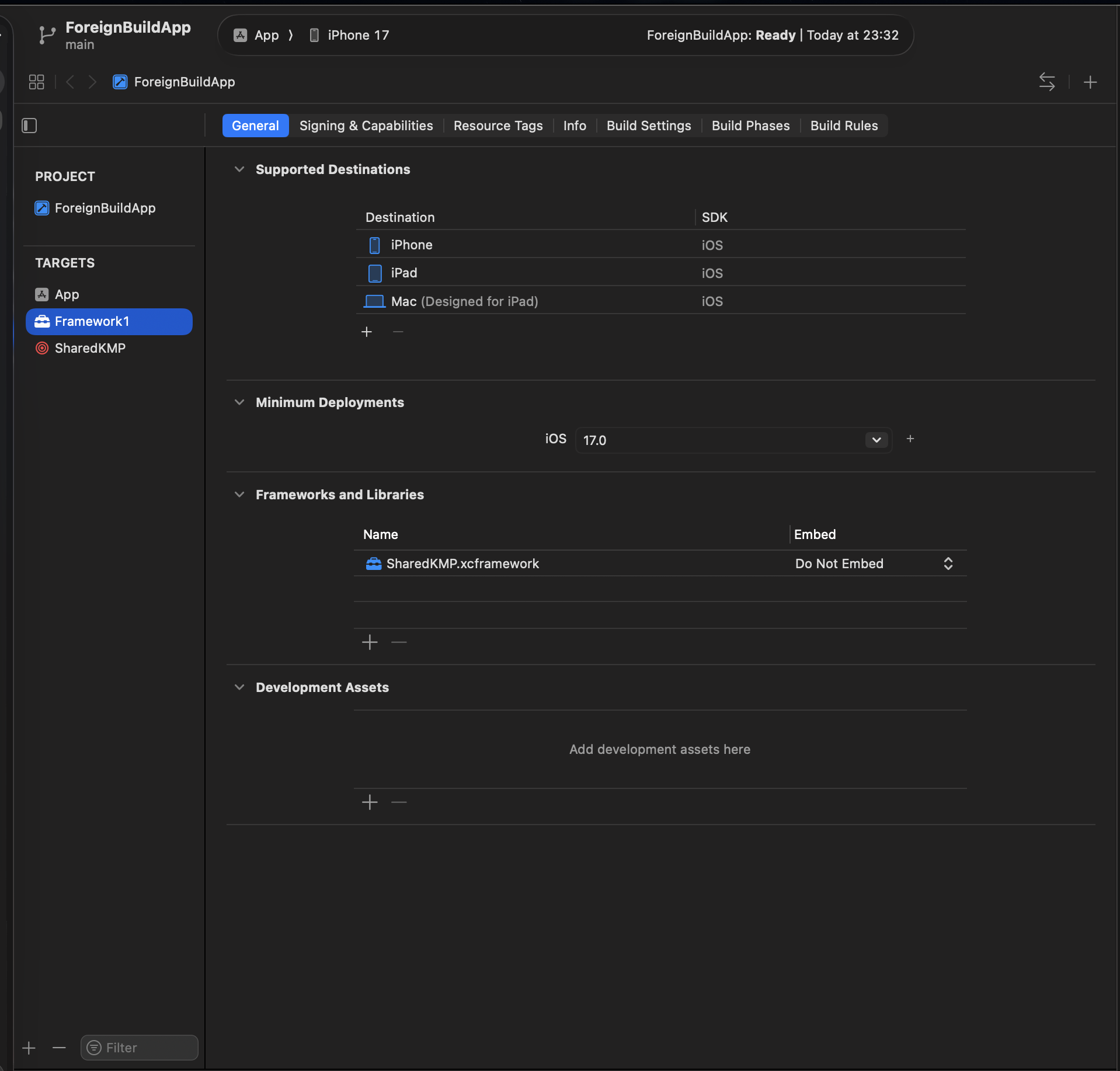
Following the [RFC](https://community.tuist.dev/t/rfc-external-build-system-dependencies/879) we published earlier, we’re excited to share that **foreign build system dependencies** are now available in Tuist. This feature lets you integrate artifacts built by external build systems, Kotlin Multiplatform via Gradle, Rust via Cargo, C/C++ via CMake, or anything else that can produce an xcframework, directly into your Tuist-managed project graph, complete with the [module cache](https://docs.tuist.dev/en/guides/features/cache/module-cache#module-cache) support.
## The problem
Many teams mix build systems. A common pattern is having a Kotlin Multiplatform module that Gradle compiles into an xcframework, which Swift targets then consume. Until now, integrating these artifacts into a Tuist project meant manual workarounds. Custom script phases, pre-built binaries checked into the repo, or Xcode project files maintained by hand. None of these played well with Tuist’s dependency graph or binary caching.
## The solution: `Target.foreignBuild()`
Foreign builds are declared as first-class targets in your `Project.swift`. To depend on a foreign build, you can then the standard `.target(name:)` dependency.
```swift
let project = Project(
name: "MyApp",
targets: [
// Foreign build target
.foreignBuild(
name: "SharedKMP",
destinations: .iOS,
script: """
cd $SRCROOT/SharedKMP && gradle assembleSharedKMPReleaseXCFramework
""",
inputs: [
.folder("SharedKMP/src"),
.file("SharedKMP/build.gradle.kts"),
],
output: .xcframework(
path: "SharedKMP/build/XCFrameworks/release/SharedKMP.xcframework",
linking: .dynamic
)
),
// Swift framework that depends on the foreign build
.target(
name: "MyFramework",
destinations: .iOS,
product: .framework,
bundleId: "io.tuist.MyFramework",
sources: ["MyFramework/Sources/**"],
dependencies: [
.target(name: "SharedKMP"),
]
),
]
)
```
You can find a full example at [tuist/examples/xcode/generated\_ios\_app\_with\_foreign\_build\_dependency at main · tuist/tuist · GitHub](https://github.com/tuist/tuist/tree/main/examples/xcode/generated_ios_app_with_foreign_build_dependency)
The `inputs` parameter declares which files and folders Tuist should watch. These are used both as Xcode build phase inputs (for incremental builds) and as cache hash inputs (for module cache).
## How it works
Under the hood, `Target.foreignBuild()` becomes a `PBXAggregateTarget` with a script build phase in the generated Xcode project. Tuist handles the wiring automatically:
- **Dependency graph integration** Foreign build targets participate in the full dependency graph. The graph traverser understands that consuming targets need to link against the produced xcframework.
- **Module cache** `tuist cache` hashes foreign build targets using their name, script, and input file contents. That means you can completely skip the foreign build if you’ve already previously cached it.
- **First-run generation** Since Xcode validates file references before executing any build phases, Tuist runs the foreign build script during `tuist generate` if the output xcframework doesn’t exist yet.
## Deviation from the RFC
The RFC proposed foreign builds as a `TargetDependency` case (`.foreignBuild(name:script:inputs:output:)`). During implementation, we refactored to a `Target.foreignBuild()` factory because a foreign build _is_ a target. It maps to a `PBXAggregateTarget` in Xcode.
## What’s next
Give it a try and share your feedback here or on [GitHub](https://github.com/tuist/tuist). We’d love to hear how you’re using foreign builds in your projects.
---
### Author:  [@akordev](https://community.tuist.dev/u/akordev)
#### Post date: [September 1, 2026, 10:56am UTC](https://community.tuist.dev/t/support-for-foreign-builds-such-as-kotlin-multiplatform/898/2 "2026-09-01T10:56:21Z")
I see open question in RFC’s that does not seem to be answered: **how to handle Debug vs Release?**
`$CONFIGURATION` reaches the script, so I can pick the Gradle task per configuration — but `output:` takes one fixed path, and Kotlin writes one XCFramework per build type. Pinning to release, as the example does, costs minutes per Kotlin edit locally; pinning to debug ships unoptimized code.
As a workaround I can link via `FRAMEWORK_SEARCH_PATHS` with `$(CONFIGURATION:lower)`, plus `.target(name:, status: .none)` to keep ordering without the link edge. `output:` then names a path nothing links through. However I think this kind of workarounds is exactly what RFC was suppose help with
Are there any plans to address this issue?