# Unable to Edit Files
**URL:** https://community.tuist.dev/t/unable-to-edit-files/773
**Category:** General
**Tags:** documentation
**Created:** [September 27, 2025, 8:40pm UTC](https://community.tuist.dev/t/unable-to-edit-files/773 "2025-09-27T20:40:32Z")
**Posts on this page:** 2
**Page:** 1
### Author:  [@swiftanon](https://community.tuist.dev/u/swiftanon)
#### Post date: [September 27, 2025, 8:40pm UTC](https://community.tuist.dev/t/unable-to-edit-files/773/1 "2025-09-27T20:40:33Z")
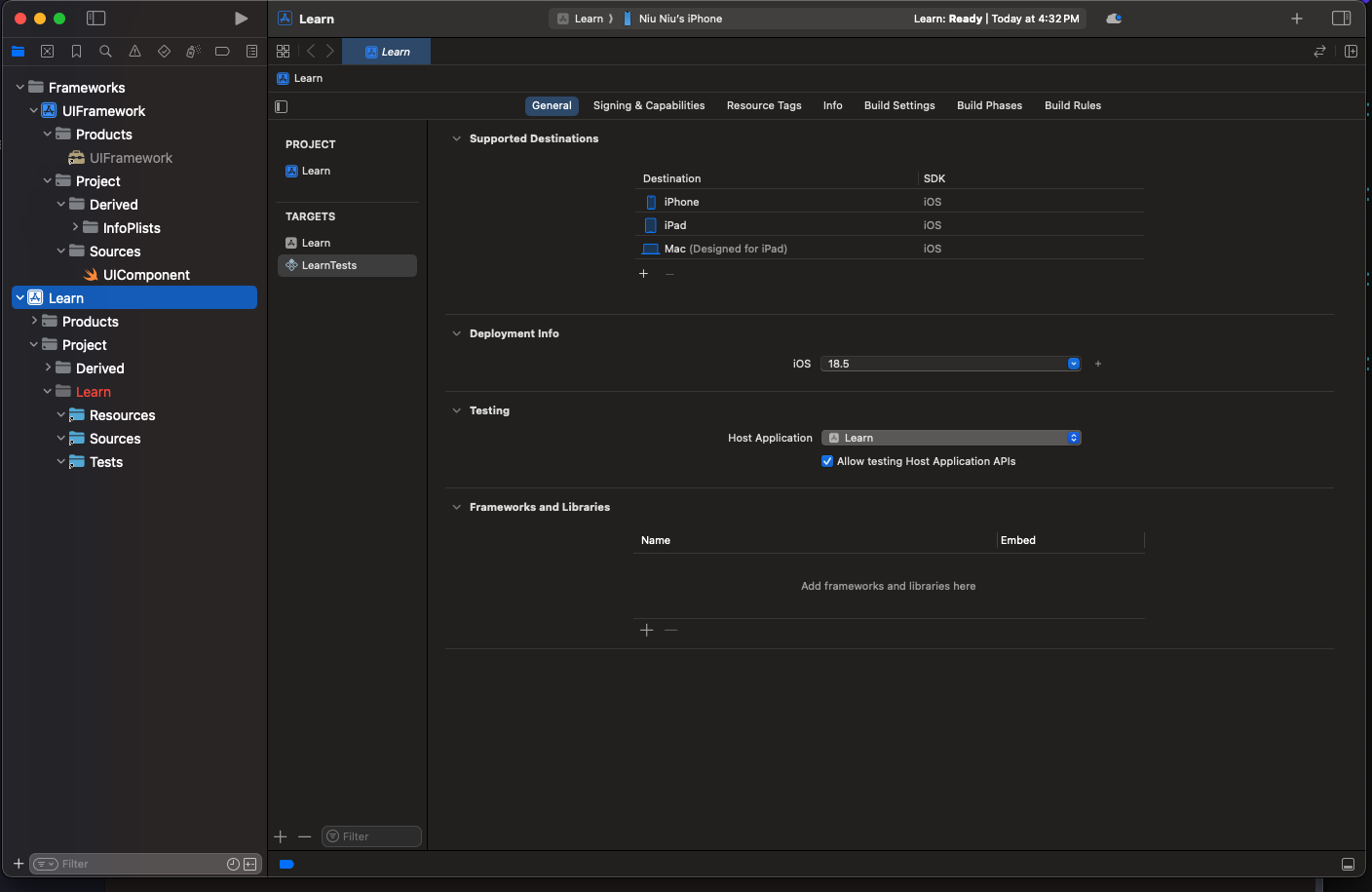
Hello! I am running into an issue that I can’t figure out. After generating a project via `tuist generate`, it appears that the project files are all reference files; thus I am unable to edit files like content.swift in Sources dir in Xcode.
I expect Manifest files to be reference files but not files in Source. Resources, Tests directories. I am definitely missing something but can’t figure it out looking through the docs; would appreciate some feedback,
Please see the attached image to see what I mean by reference files (basically the folders have the curly circle thing indicating that the folders are reference folders thus no access to files within).
Thank you
---
### Author:  [@swiftanon](https://community.tuist.dev/u/swiftanon)
#### Post date: [September 28, 2025, 6:06pm UTC](https://community.tuist.dev/t/unable-to-edit-files/773/2 "2025-09-28T18:06:51Z")
Figured it out - Xcode → Open → ProjectDir.